
Master Of Pottery Export This Work to Collection
Hall button, Works folder, .pottery copy, Collection paste, and sharing the file with other players.
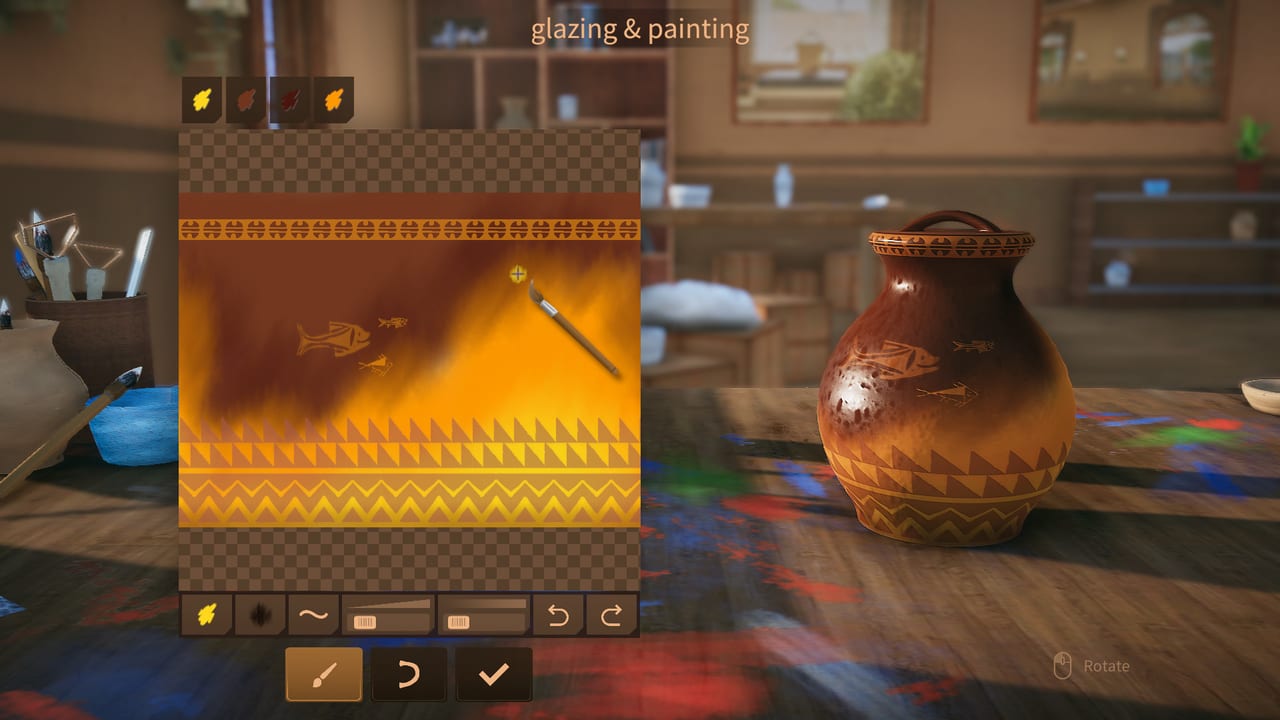
Master Of Pottery lets you export a finished vessel and share it. The Steam page says so in one line: Share - You can export your work and share to other player. Version 1.0, released 10 September 2026, still uses a local file for that, not a workshop queue. You select a piece in the hall, click Export This Work, then copy a .pottery file from the game’s Works folder into the Collection folder. After that, the collection room can show the piece, and another player can paste the same file on their machine.
This page is that path, the Steam local-files browse, what Works versus Collection actually are, and how sharing differs from 1.0 public and private rooms. If you have not run the first exhibition yet, start with Getting Started. If the piece you want to keep uses a photo wrap, read the Custom Pattern Guide first so you export the pot you meant. The hall that holds the original still runs on the Exhibition Guide.
Select the work, then Export This Work
Go to the main hall where your pottery is on view. Click the piece once so it is selected. A button labeled Export This Work should appear. Click it. The game writes a copy to disk. You have not sold the pot. You have not deleted it from the warehouse. You have dumped a file the collection room and other players can read.
If the button is missing, you are probably in the warehouse sheet or on the wheel rather than on the hall object. Stand in the hall. Select the work. Look for the export control on that selection. The career save in AppData is a different pile of files. Export is the hall button, not a hidden debug key.
Export early if the piece is about to go to a buy letter or a shop listing. Letters and shop sales move the object out of your daily rotation. The .pottery copy is how you keep a ghost of it in the collection room after the yen lands. Heat on the booth and tickets in the hall are unchanged by the dump. You can still exhibit the original until it sells.
Browse local files to the Works folder
Steam is how you find the dump without guessing drive letters.
- Open your Steam library.
- Right-click Master Of Pottery.
- Open Properties.
- Open Installed Files, or Local Files on older Steam layouts.
- Click Browse. That opens the game folder on disk.
Inside that folder you should see Works. Open it. Each export lands in a subfolder or as a .pottery file you can copy. Open the folder for the piece you just exported and copy the .pottery file itself, not a screenshot and not the parent Works directory. The extension is the whole point. Career saves under AppData\LocalLow\AZGames are for the profile, mail, and warehouse. They are not a substitute for this copy step, even if you also see .pottery names there.
If Works is empty, you have not clicked Export This Work yet, or you browsed a different install. Family Sharing, a second library folder, or a moved Steam library can point Browse at the wrong tree. Use the Properties browse for the copy you actually launch.
Paste into Collection
Go back up from Works and open the Collection folder in the same game directory. Paste the .pottery file there. That is the entire import. Return to the game and open the collection room. The piece should be waiting as a catalog object you can walk around, not as a new booth in the exhibition hall.
Collection is a gallery of files you chose. The hall is the business floor. Mixing the two in your head is how people think export built them a free extra stand. It did not. Booths still cost yen. Heat still lives on hall works. Collection is for keeping, showing off, and trading files.
If the piece does not appear, confirm you pasted the .pottery file, not a zip, not a jpg of the pot, and not the whole Works subfolder. Restart the client if the collection room was already open during the paste. Then check that you are looking at Collection, not at a cold booth you forgot to rotate.
Share the file with other players
A .pottery file is a normal file. Send it however you already send files: chat, mail, a USB stick. The other player browses local files the same way, opens their Collection folder, and pastes. They do not need your save. They do not need your yen. They need the file in Collection.
This is not Steam Workshop. This is not a subscribe button. This is not an in-game mail attachment. If someone sends you a screenshot, that is a picture, not a vessel. If someone sends a zip, extract until you see .pottery, then paste that. Do not dump random executables into the game folder and call it a collection.
Public and private rooms from 1.0 are a different door. Rooms let other players visit and they pay online tokens, faster in public rooms. They do not copy a .pottery into Collection for you. Steam Multi-player does not replace the paste. Use rooms when you want tokens and company. Use export when you want a file that survives after the hall sells the original.
Be decent about custom wraps. If the pot uses someone else’s photo, say so when you send the file. The Custom Pattern Guide is the import side: jpg and png on the paint bench. Export is how that wrap leaves your PC.
What export is for
Keep a catalog of SSS attempts, Tea House unlock cups, apprentice gifts you cannot make again, and jokes the hall already cooled. Show a friend a one-of-one without handing them your whole career folder. Rebuild a collection room after a reinstall by pasting the files back. That last case is why you copy out of Works on purpose instead of assuming Steam Cloud holds every pot. Community notes have long treated the career as a local AppData save. Collection is equally local.
Export does not raise letter rank. It does not refill inspiration. It does not complete orders. It does not train apprentices. It does not add 50,000 tourists. Those loops stay in the studio and the hall, which Getting Started and the Exhibition Guide already cover. After a long exhibition day, pick one piece that actually mattered, export it, paste it, and go to bed. Tomorrow’s 100 inspiration is still two pots. The file will still be in Collection when you want to look at it without running another show.
Do not export every C dummy. The folder will turn into a junk drawer. Export the work you would miss if a buy letter took it overnight. Then keep throwing.
Export This Work is a file copy, not a workshop upload. The hall still holds the original. Works holds the dump. Collection holds what you paste. Send a .pottery to a friend the same way you send any other file, then tell them to browse local files and drop it in Collection. Rooms and tokens are a different door. This one is just a folder, a paste, and a collection room that finally shows the pots you actually meant to keep.
Frequently Asked Questions
Quick answers about throwing, firing, and running your showroom.
How do I export a work?
In the main hall, select the piece and click Export This Work. That writes a copy to disk. It does not sell or delete the original.
Where is the Works folder?
In the game install directory. Steam library, right-click Master Of Pottery, Properties, Installed Files or Local Files, Browse. Open Works and copy the .pottery file.
Why paste into Collection?
The collection room reads .pottery files from the Collection folder. Works is only the export dump. Paste the file, then open collection in-game.
Can I share pottery with other players?
Yes. Send the .pottery file. They paste it into their own Collection folder through the same Steam browse. This is not Workshop and not an online room.
Does export remove the piece from my hall?
No. Export is a copy. The original stays for exhibitions, letters, and shop listings until you actually sell or store it.
Is this the same as 1.0 rooms?
No. Public and private rooms pay online tokens when players visit. Export is a local .pottery file for collection and sharing.